


Masters Data Load
Loading master data is critical for accurate pharmacy purchases, sales, and stock transaction karemind pharmacy management system support team will assist in loading master data, which is a one-time work before you make pharmacy transactions. Below data must be loaded.
Pharmacy employees, Pharmacy Locations, Medicine, Store, Suppliers, Storage, Shelf etc.

Highly configurable
I Configure and customize the Karemind Pharmacy management software the way you wanted, and with great attention to detail. Add open stocks, and drug locations in the racks, set minimum and maximum quantity for stock management and access any information about your pharmacy in a few clicks.

Rack management
Easily maintain stock of multiple items rack-wise which helps to identify which item is kept in which rack at the time of billing & generate rack-wise stock reports.

Detailed medicine information
Add details such as medicine name, type, Manufacturer, category, rack name, schedule type of drug which can be detailed down for submitting to inspectors.
Pharmacy Indent Management
Track all your pharmacy indent in a single platform such as Indent requests, approval, arrivals with our intelligent pharmacy management system.
Pharmacy Indent Request & Approvals Workflow
Pharmacist can raise indent request for the medicines and other pharmacy supplies that are low in stock, and the authorized person can approve it and order to the stockiest, or the vendor.
Pharmacy Purchase
The arrived medicines and other supplies are quality checked and added to the stock with supplier names, expiry dates and more.
Centralized Management
You can now generate customizable OPD slips from the dashboard directly. This feature is helpful for those who want to write case sheets as hardcopy.
Pharmacy Purchase Management
In this Pharmacy Purchase Management start with indents create and manage indents for purchasing requests coming from any department, or location. Maintain the requisition order for medicine, supplies, etc with high flexibility. Go through
Add products with ease
Generate tokens in advance or in real-time. Customize your own token numbers and set up the monitors. Immediately after the token generation, the information will be redirected to the queue manager, front desk, doctors, and patients through the screencast..
Purchase Order
Easily add suppliers and invoices in click of a button provided it is added in the master set-up. Add details such as invoice due date, invoice date, invoice amount, GRN date.
Purchase Return
The Pharmacy management system can execute the return of medicines to suppliers with a comprehensive system that tracks inventory, adds details of return, eliminates products and calculates the amount to return.
Stop Purchase Errors
Pharmacy in charge can approve the process and then save the invoice for further use. Helps you reduces purchase errors.
Real-time tracking
The details of purchases and purchase returns are Auto-updated in the Stock/ sales dashboard for the particular day or custom-set range.
Shift Management
Shift management via pharmacy management system streamlines scheduling, improves workflow, pharmacy sales management and enhances operational efficiency for pharmacy.
Dispensing Hours
The software allows pharmacy managers to define the dispensing hours to ensure that there is adequate coverage during operational hours to serve patients.
Prescription Processing
The software assists in managing the processing of prescriptions by assigning personnel to different shifts.
Workflow Optimization
Pharmacy managers can optimize workflow by aligning shifts with peak customer traffic and prescription volumes.
Shipping Management
HIMS software plays a significant role in shipping and tracking management for Pharmacies by providing a centralized platform to streamline and optimize various aspects of the shipping process.
Tracking and Delivery Notifications
The software provides real-time tracking of shipments, reduces package losses and revenue loss, enabling pharmacies and patients to monitor.
Shipping Label Generation
The software generates shipping labels and necessary documentation, streamlining the labelling process.
Customer Satisfaction
Improved shipping management through the software ensures timely and accurate deliveries, enhancing customer satisfaction.
Sales
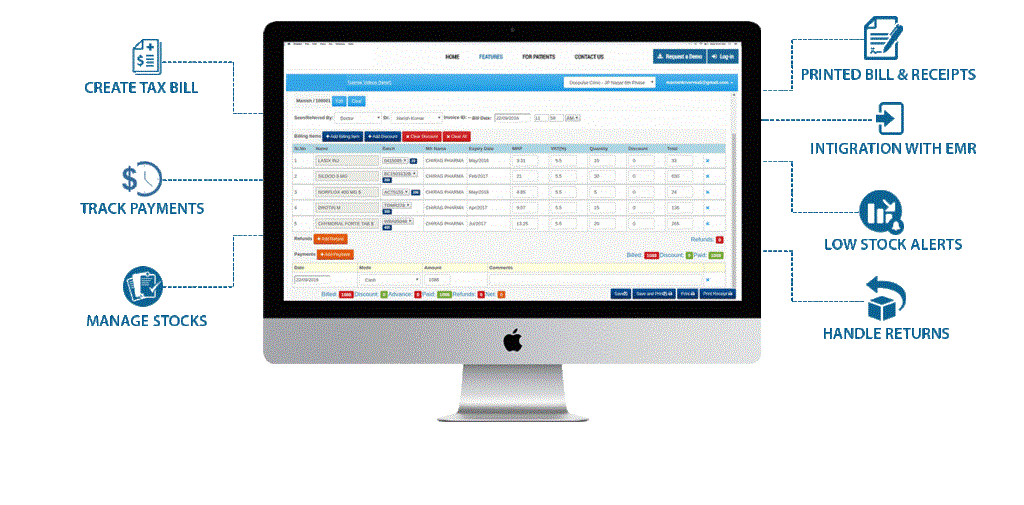
Make counter sales seamless by building a comprehensive database patient by patient by adding details of patients, medicine purchased, billing generated
Integrated with IP/OP
Any transaction made is tracked on the Pharmacy management software’s sales dashboard. Whenever a doctor sends a prescription to sales, the dashboard will be populated with a prescription list. Pharmacists can generate a bill by selecting a patient.
Custom Sale Receipt
Design your own Sale Receipt templates for custom prints, easy to create, edit and use the templates.
Sales Return
Ability to return the medicines with completed payments, complete with credits pharmacy-wise or customer wise.
Payment modes
Add payment types, track patients who have opted to pay later using credits, amount returns, calculate deductions automatically.
Hold bill
In case of situations where you cannot complete the bill, you can choose to hold the bill and save it for later use. The hold bill will be moved to the unbilled history of the day in the sales dashboard.
Direct Counter Sales
Add patient details who have not registered with any doctor and are making a direct purchase at the counter. Add mobile number details and use it to search the particular patient in the pharmacy management system.
Pharmacy Sales bill
Pharmacists can add pharmacy or hospital logo, print bill in desired size and share it to customers.
Stock Management
Track your stock , set minimum and maximun stock levels and make inventory up to date. Our pharmacy oftware with advanced inventory tracking helps to streamline your entire pharmacy.
Opening Stock
Make an opening stock entry for medicines that do not have an invoice, first time entry, own medicines or those purchased from the retail shop. Add details same as master set-up. Can add intricate details such as the number of units that is loose.
Stock List
Whenever a medicine is added to or removed from Pharmacy management software, the exact amount, selling price, the batch number will be updated in the stock list. The pharmacy in charge can make stock and selling price adjustments.
Expiry List
Keeps track of expired products so that you can return them to the supplier to save your product-based losses. The software can extract the medicine expiration data from a pre-uploaded Excel sheet which will then indicate the expiration details of medicines in a category-wise manner.
Low/Excess Stock List
Some medicines are there beyond the number of units set in the medicine master. Track the stock with alerts.
Synchronized Inventory management
Keep shelves stocked with products your patients need, whether in a single store or across multiple sites, with integrated, automated ordering between our systems.
Account Management
The accounts module under the pharmacy management system provides a complete accounts system. Using this module, users can pay the manufacturer s bill after receiving the payment from customers.
Credit Bill
Track patients who have not made the payment or made partial payments yet using credit bills via pharmacy management software.
Receipt List
Any credit payment has been done; the receipt is moved to the receipt list.
Supplier Due
List of all supplier dues, purchase amount, purchase return amount, paid and balance to be paid in the particular time frame.
Supplier Payment
Ability to make partial or full payments to suppliers will be tracked for supplier and displayed on the dashboard
Analytics and Reports
software. Robust search helps you to narrow down details and access in a few clicks. Add closing balance, sales report of users, product and medicine category-wise.
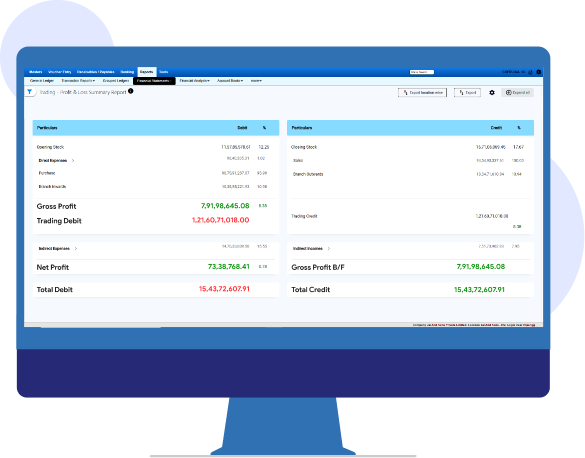
Purchase report, profit or loss account (invoice-wise, medicine-wise, manufacturer-wise), the list of buy-sells in the remainder of the package, according to customers and suppliers.
Purchase List
Build a comprehensive list of medicines purchased with Pharmacy management software. Track through the period, supplier, invoice number, GRN number and more. Demonstrate the time of selling, and the discount amount, and make the sale price as required. Hold any bill according to need and then recall.
Return Management
Users can insert the invoice number of the returned goods, and it will automatically save to the bulk return list. Karemind also offers the option to add the product list that had been returned to the manufacturer and a complete list of a damaged medicine.
Consolidated Sales List
Our pharmacy management system helps you to track which items are moving fastly based on quantity and amount sold for a particular period.
Consolidated Purchase List
Track which items from suppliers are moving fast based on Quantity and amount sold for the particular period.
Closing Stock List
View some high-value medicines movement around the particular period. Complete details of all medicines can be seen and can be cross checked with transaction records.
Stock Update History
Streamline Stock adjustments made, selling price updates by medicine, supplier or customer.
Product Wise Sales
View the product wise sale set for a custom range and analyze trends over time.